

Overview
Manage failed payments effortlessly with dunning. Salesbricks automatically classifies payment failures, alerts the right people, and triggers automatic retries so that you can recover revenue without lifting a finger.To enable dunning for your account, please contact Salesbricks Support.
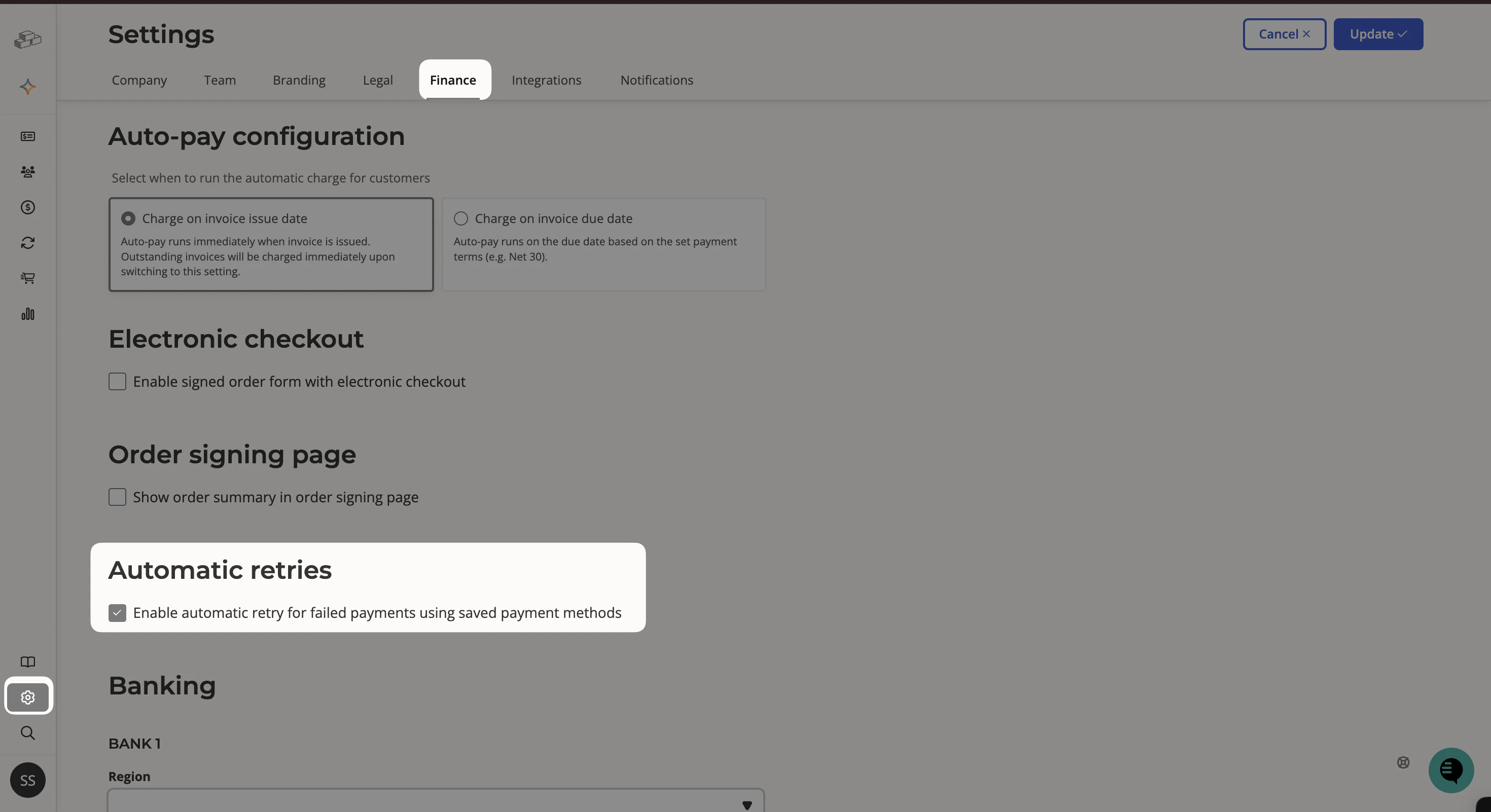
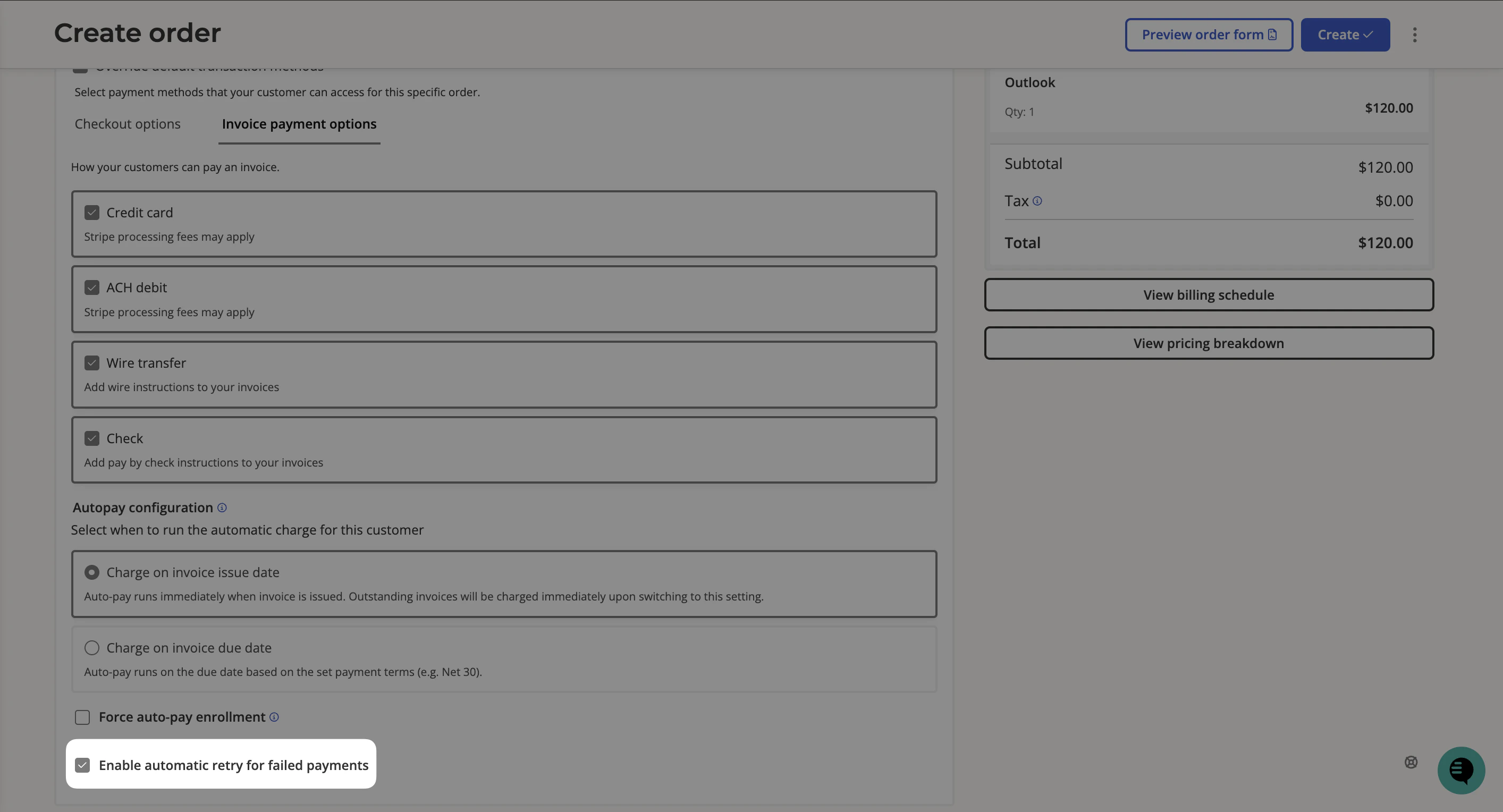
Automatic payment retries
When a payment fails, Salesbricks classifies the failure as either a soft decline or a hard decline to determine whether an automatic retry is appropriate. Soft declines are failures caused by temporary issues like insufficient funds, a network error, or a payment provider timeout. These are eligible for automatic retry. Salesbricks will schedule up to three retry attempts:- 3 days after the first payment failure
- 7 days after the second failure
- 14 days after the third failure
Collection logs
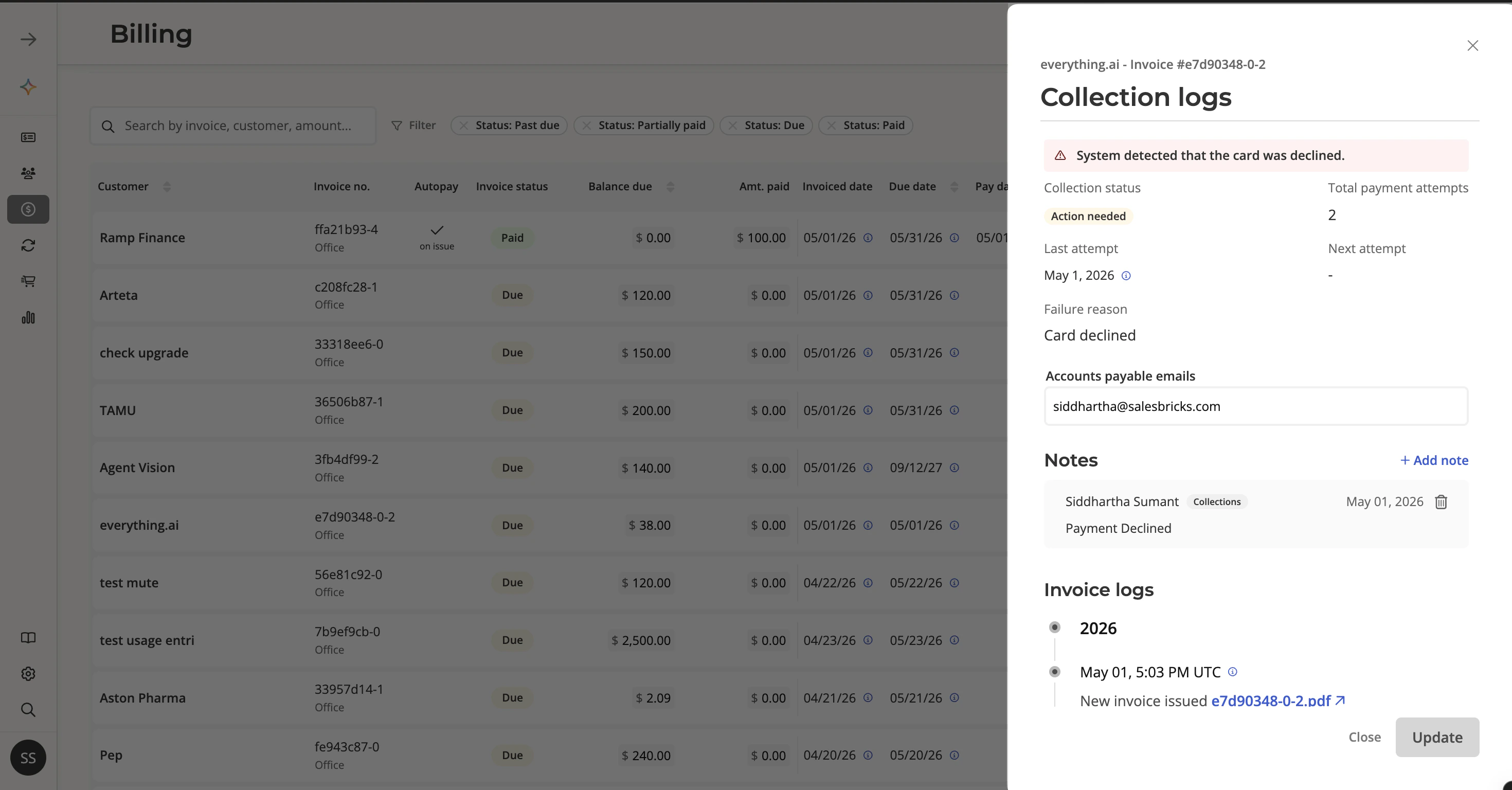
To see the details of any payment failure, click on the invoice row in the Billing & Payments tab to open the Collection logs panel. This shows you a snapshot of the invoice’s current collection state:- Collection status — the current status of the payment (e.g. Action needed, Retry scheduled)
- Total payment attempts — how many times payment has been attempted
- Last attempt — the date of the most recent payment attempt
- Next attempt — the scheduled date of the next automatic retry, if applicable
- Failure reason — the reason returned by the payment provider (e.g. Card declined)
- Accounts payable emails — the email addresses on file for this invoice
Invoice log
Scroll down in the Collection logs panel to see the Invoice log which provides a full timeline of every event on the invoice, including each payment attempt, status changes, and emails sent to the customer. If a payment has failed and you want to trigger a retry immediately rather than waiting for the next scheduled attempt, click Retry this payment in the invoice log.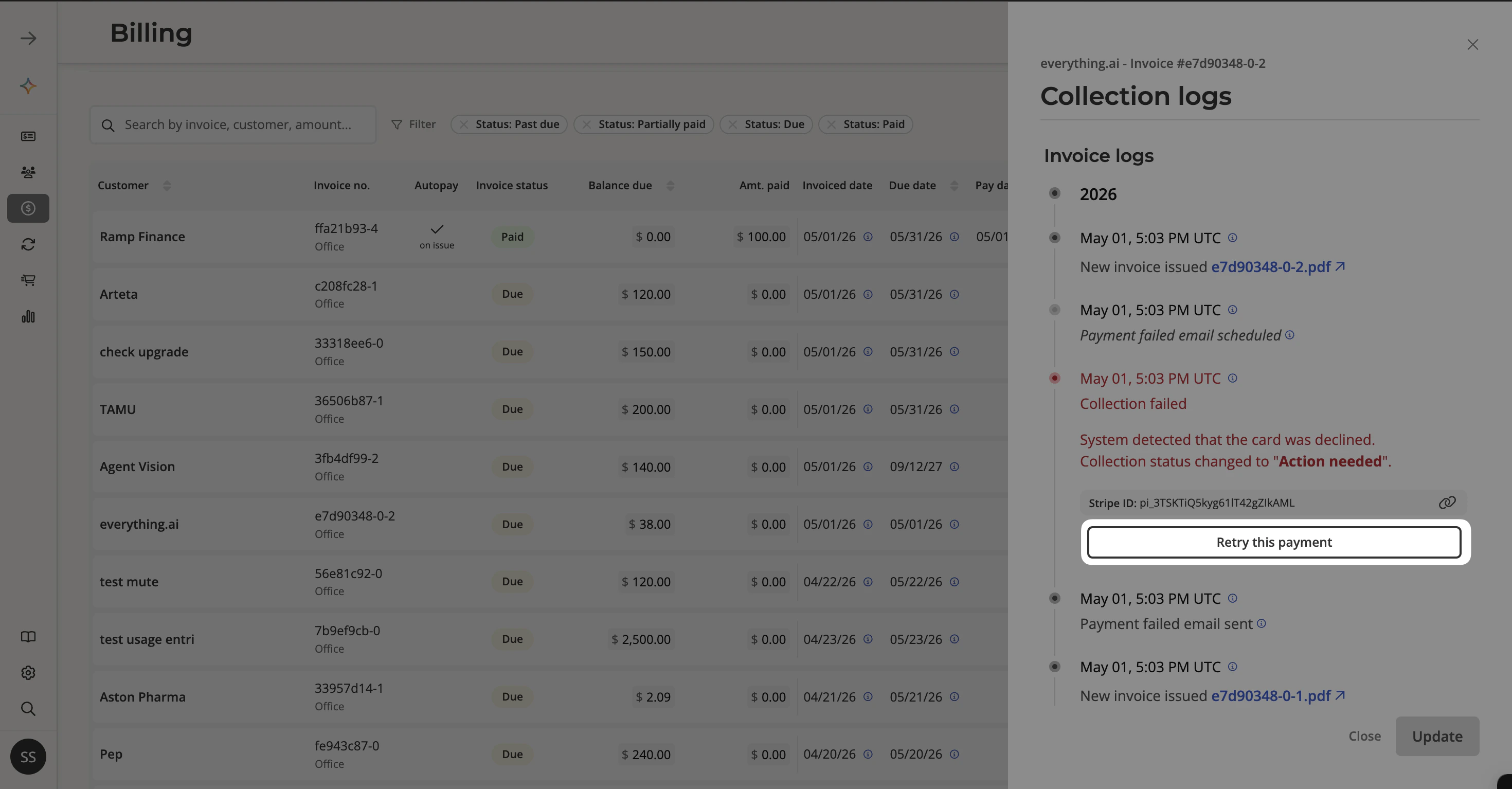
Collection statuses
Every invoice in the Billing & Payments tab displays a Collection status so you can quickly see the state of each payment at a glance.Webhooks
Salesbricks fires webhooks at key points in the payment lifecycle that you can use to trigger actions in your own systems — for example, suspending service on a failed payment and restoring it once collected.- invoice.payment.failed — Fired when a payment attempt fails.
- invoice.payment.succeeded — Fired when a payment succeeds, including payments collected via automatic retry.