Ramping on pre-commitment, overage rate, and discount for usage bricks
Multi-year usage deals rarely stay flat, so ramps now cover pre-commitment rates, overage rates, and discounts on usage bricks. Growth over the term is finally something you can price in up front.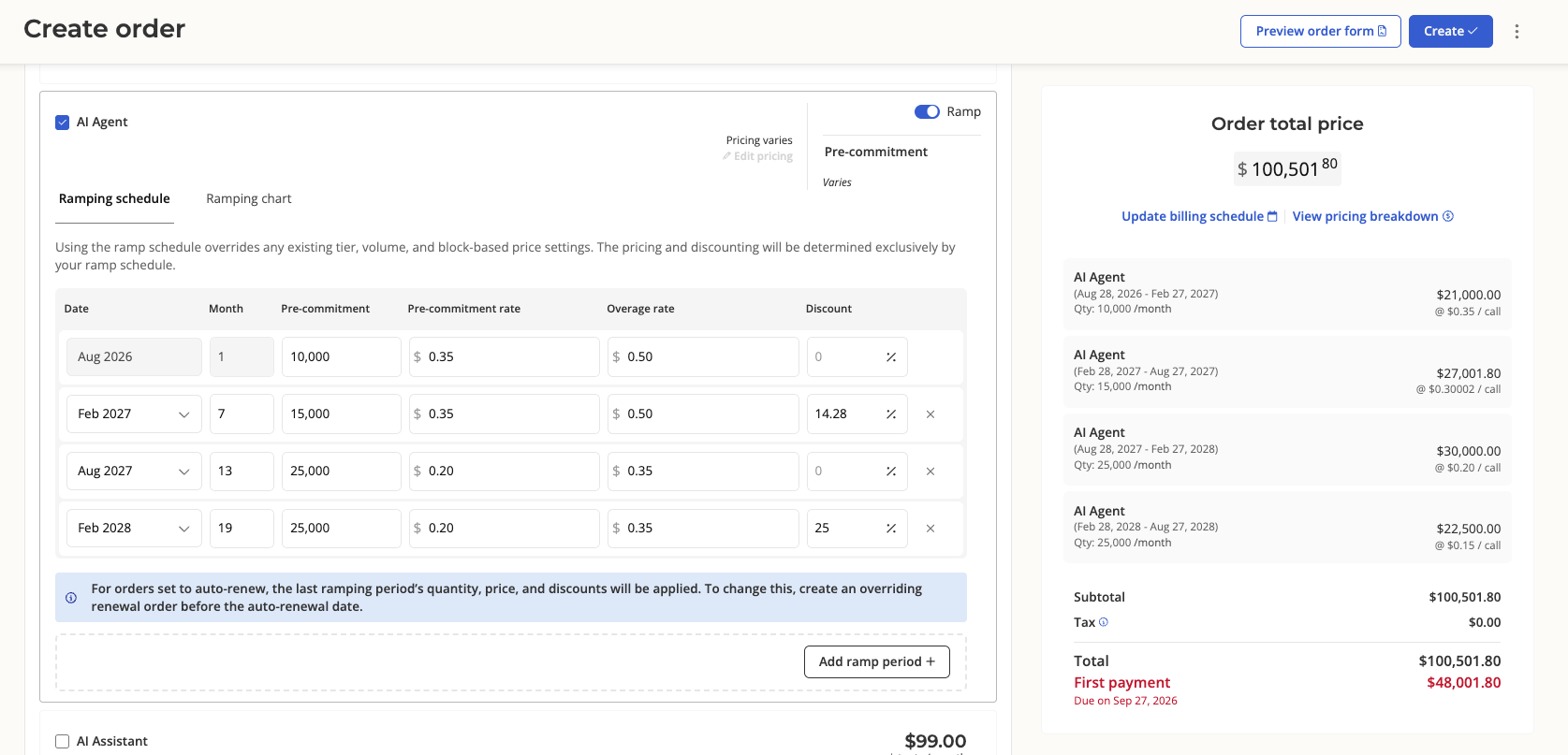
Refund paid invoices as credits
Money going back to a customer doesn’t always need to leave your account. Refunds can now go to the credit pool for use against future invoices, alongside the usual Stripe refund.Refunds are also more prominent on the billing statement page, and any refund now returns the invoice to a due state so you can decide what happens next.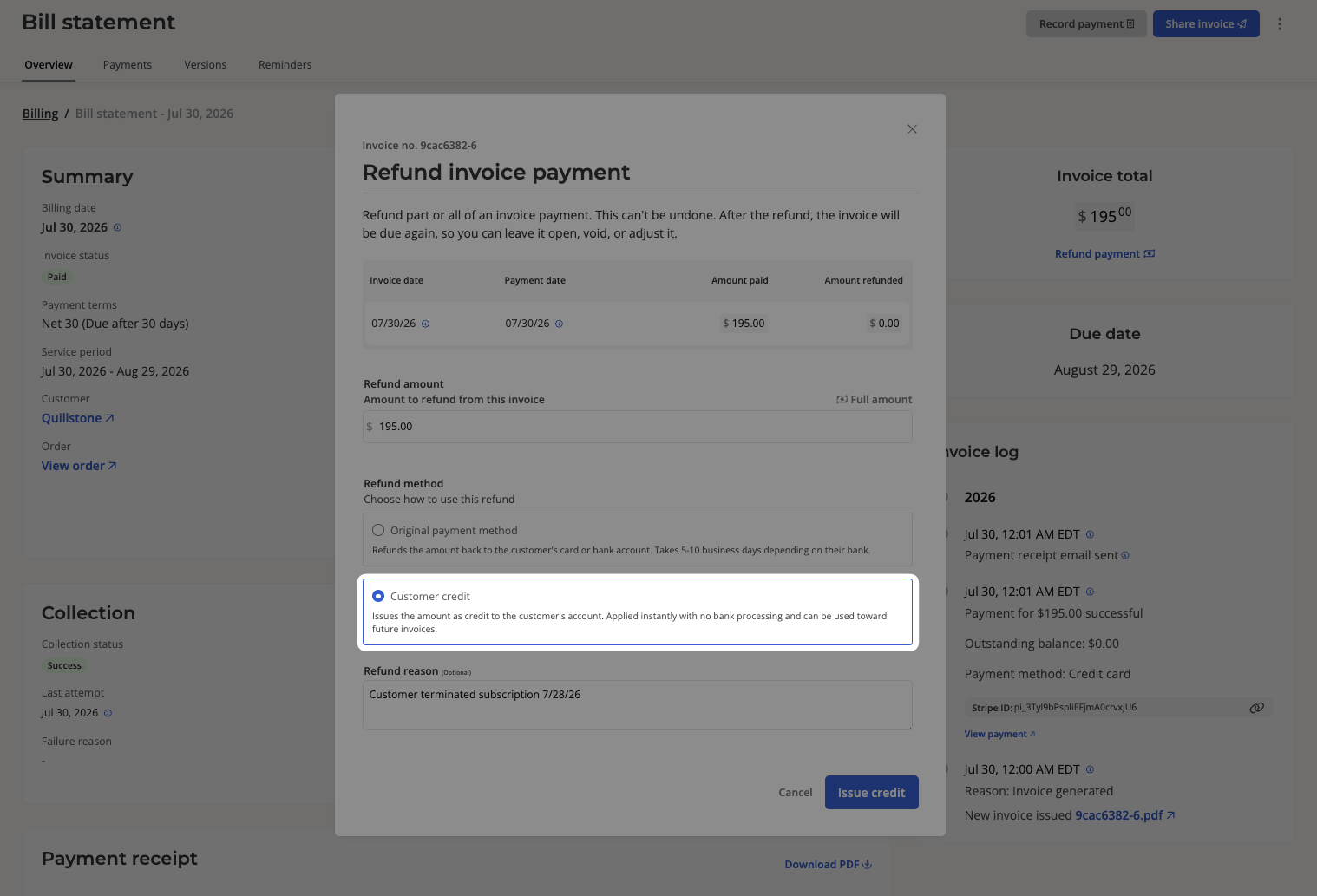
Improvements on muted invoices
Available now to all users“Muted” is now a proper, filterable invoice status. QuickBooks also gets a new toggle for whether muted invoices auto-sync: off by default for new sellers, with manual sync always available from the Billing page.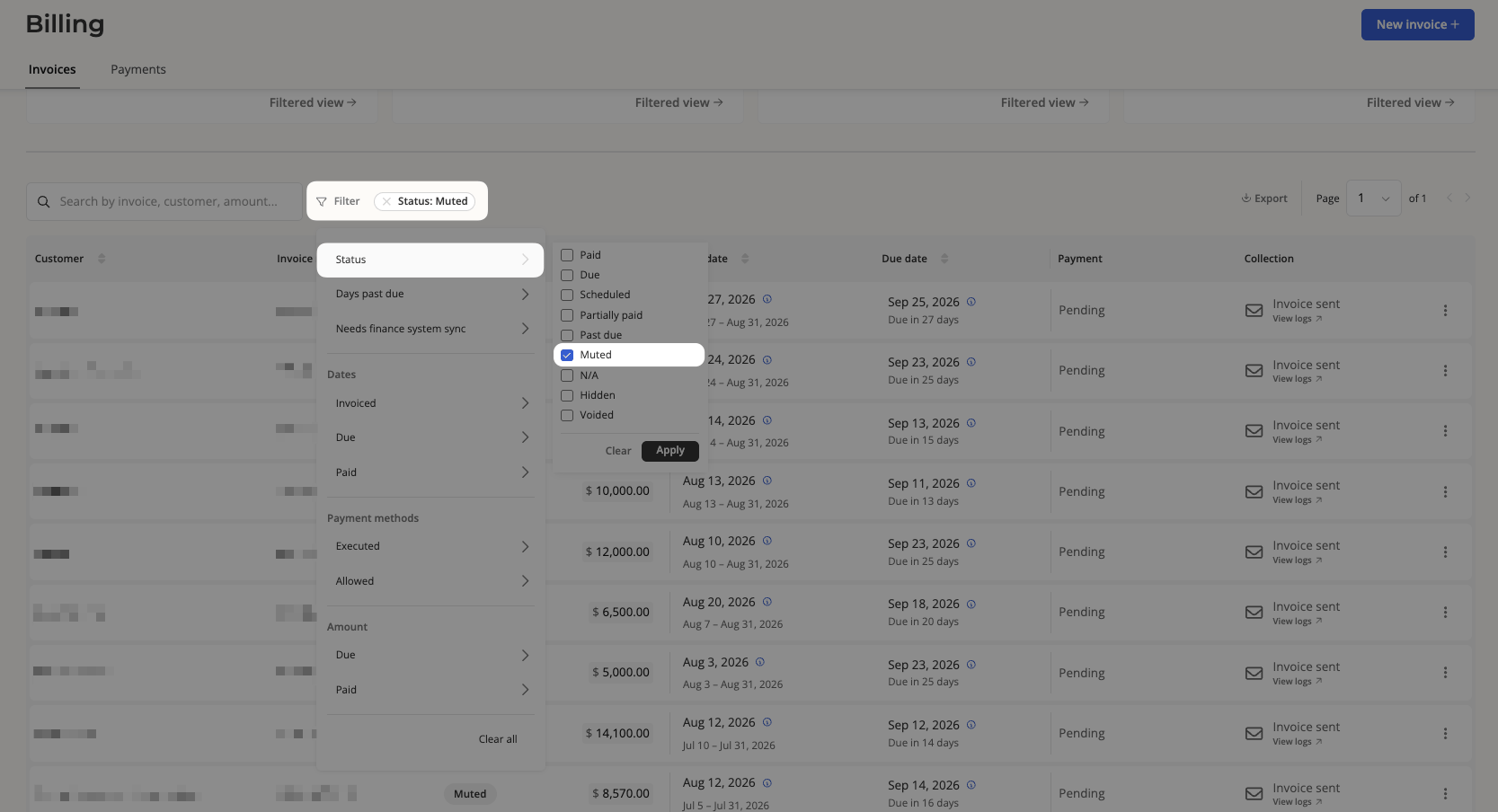
Overages on usage block pricing
Available now to all usersUsage bricks with block pricing no longer go quiet once they hit the ceiling. Exceed the cap, and additional usage bills as a per-unit overage at a rate you define, instead of silently capping at the top block’s flat fee.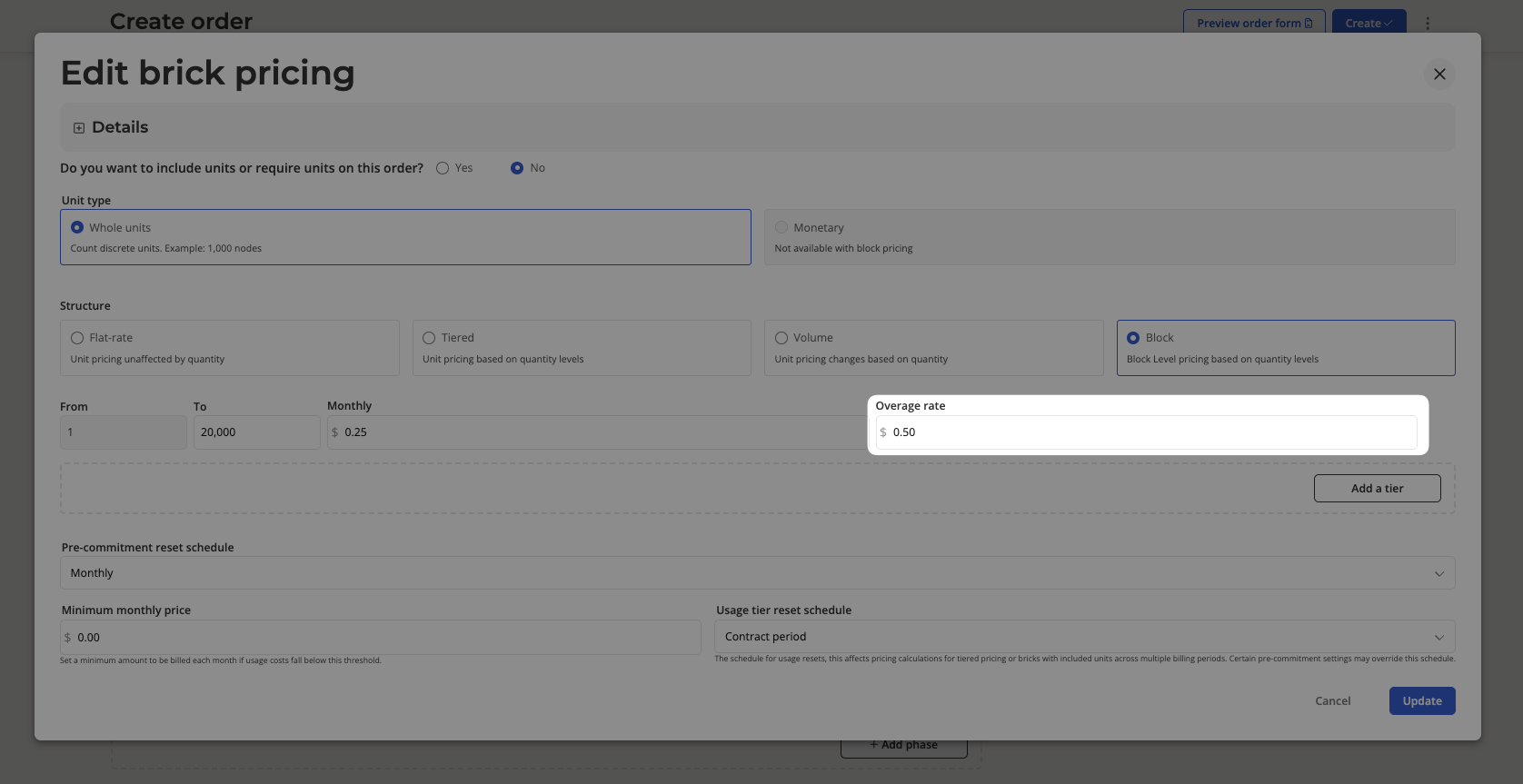
Decoupled billing
Love Salesbricks but bill through a different system? You can now turn off billing altogether in your team’s finance settings, so new orders skip invoices, paywall links, and billing management entirely. Billing frequency and payment terms stick around as contractual terms on your order form.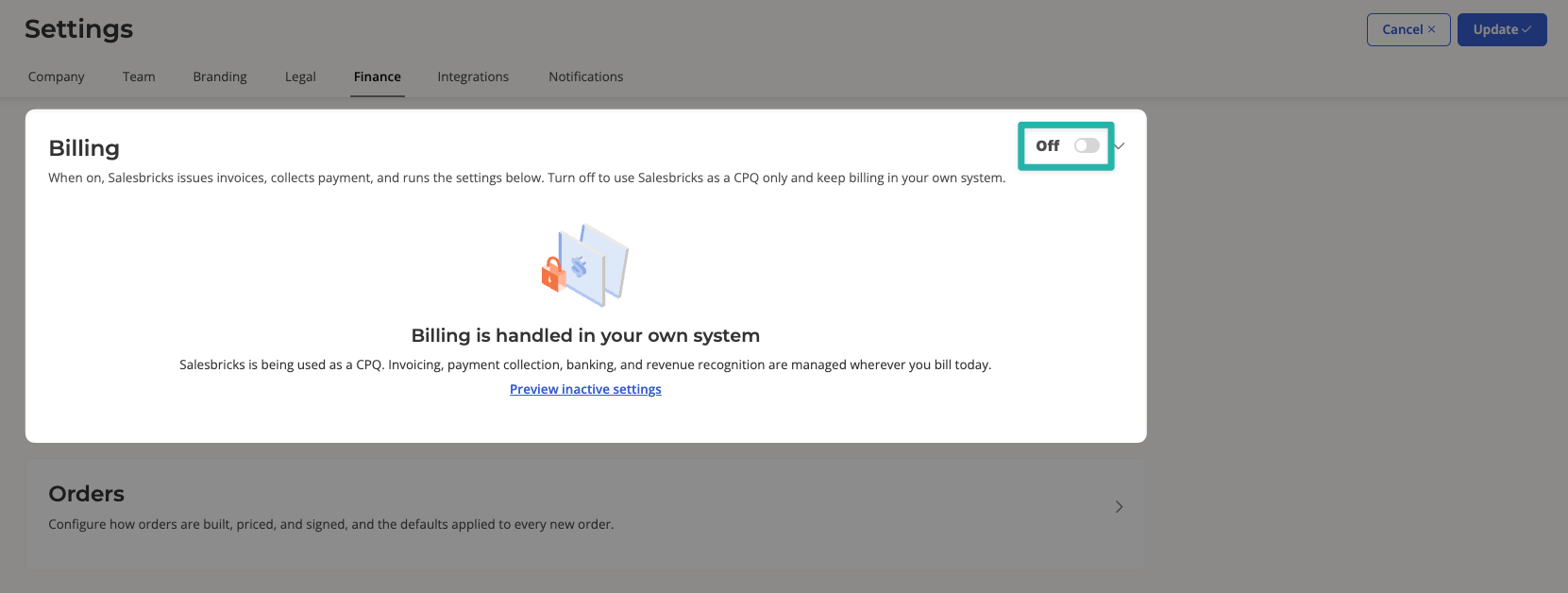
Option to sell usage in dollars instead of units
Instead of committing your customer to a specific quantity of usage (1,000 pre-committed units per month), you can now set pre-committed usage as a dollar amount ($500 of usage per month). Pay-as-you-go, pre-commit, and overage rates are based on a percentage of the dollar amount.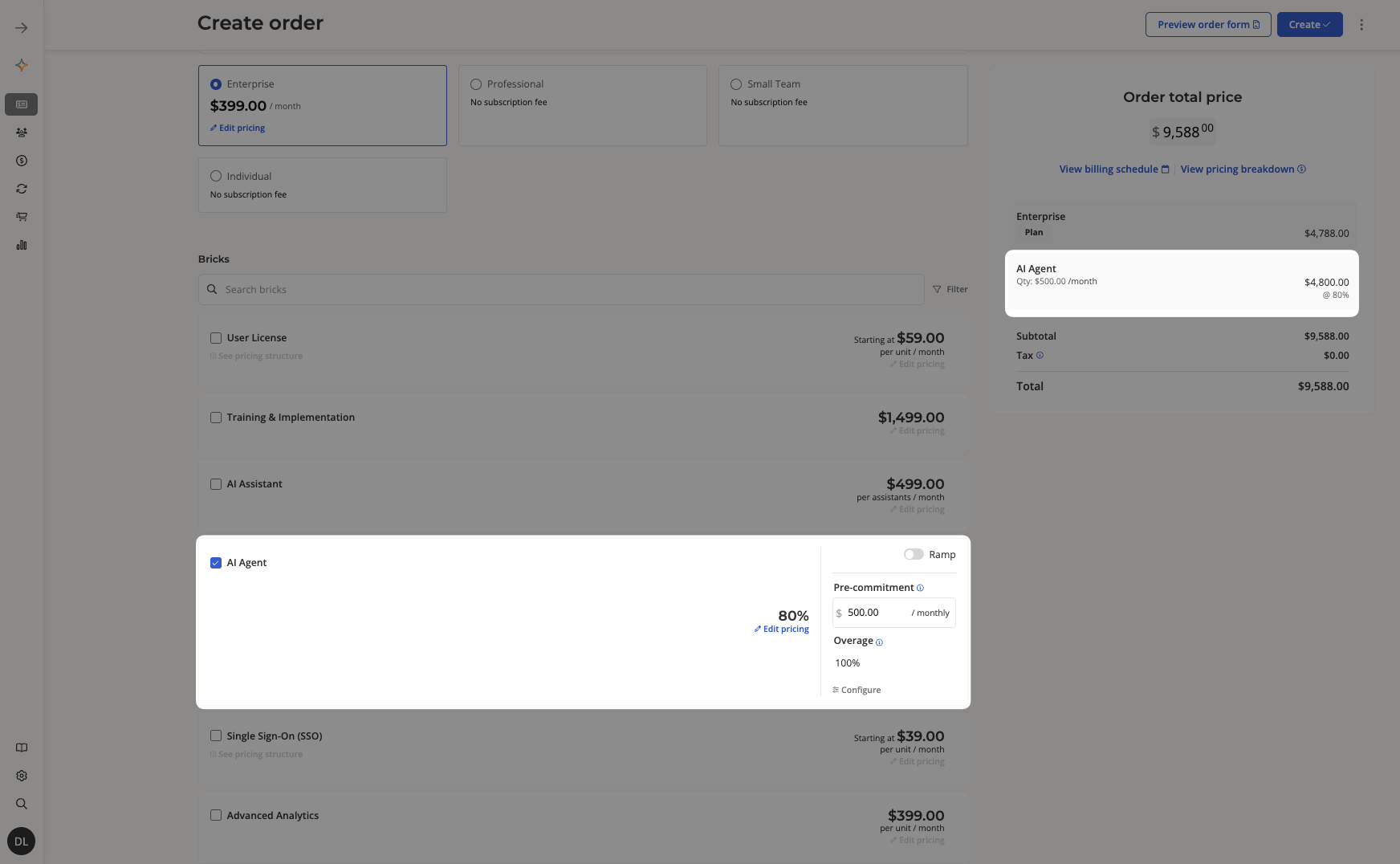
Coupons that apply to individual bricks
Not every discount should hit the whole order. Duration discount coupons can now target specific bricks, so you can sweeten one line item without giving away the rest of the deal.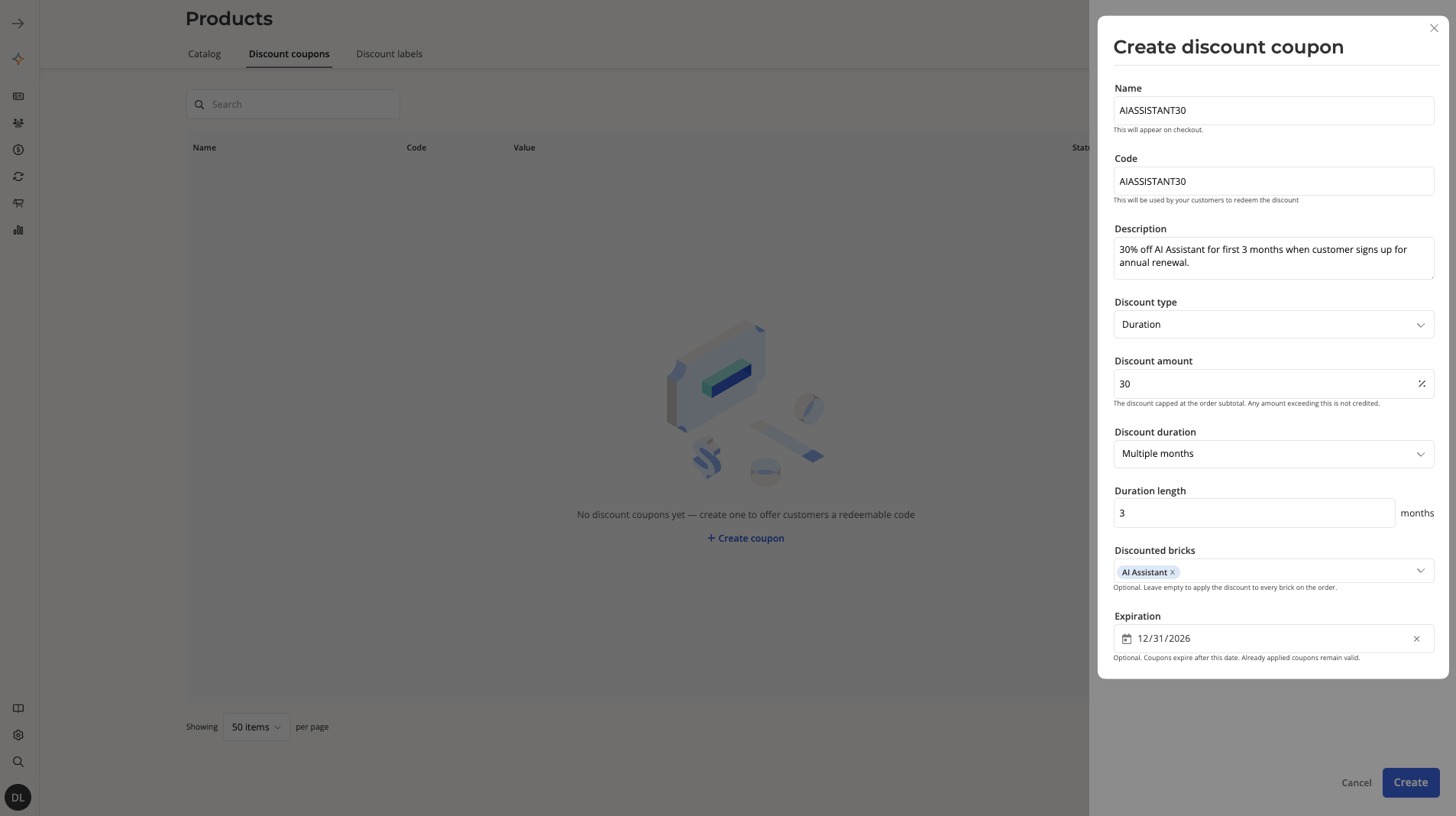
Improvements to adjustment credits
Adjustment credits used to raise more questions than they answered, so we broke them down per-invoice and per-brick in both order details and the order builder. A new drawer explains what the credit is, how it was calculated, and links back to the source invoice. You can edit adjustments manually there, too.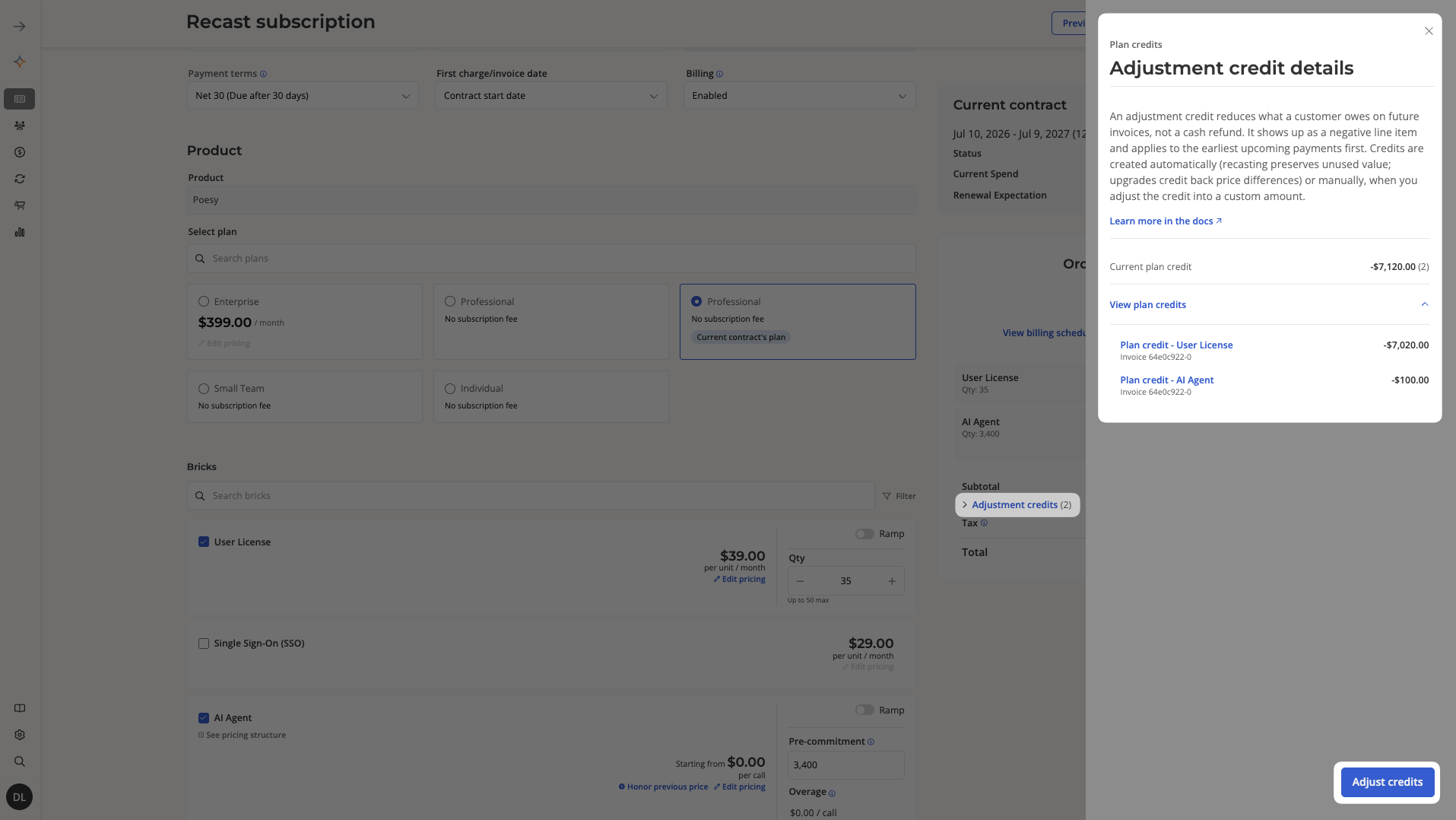
Order builder: searchable plans
If your catalog has outgrown a single scroll, you can now quickly search and filter plans in the order builder.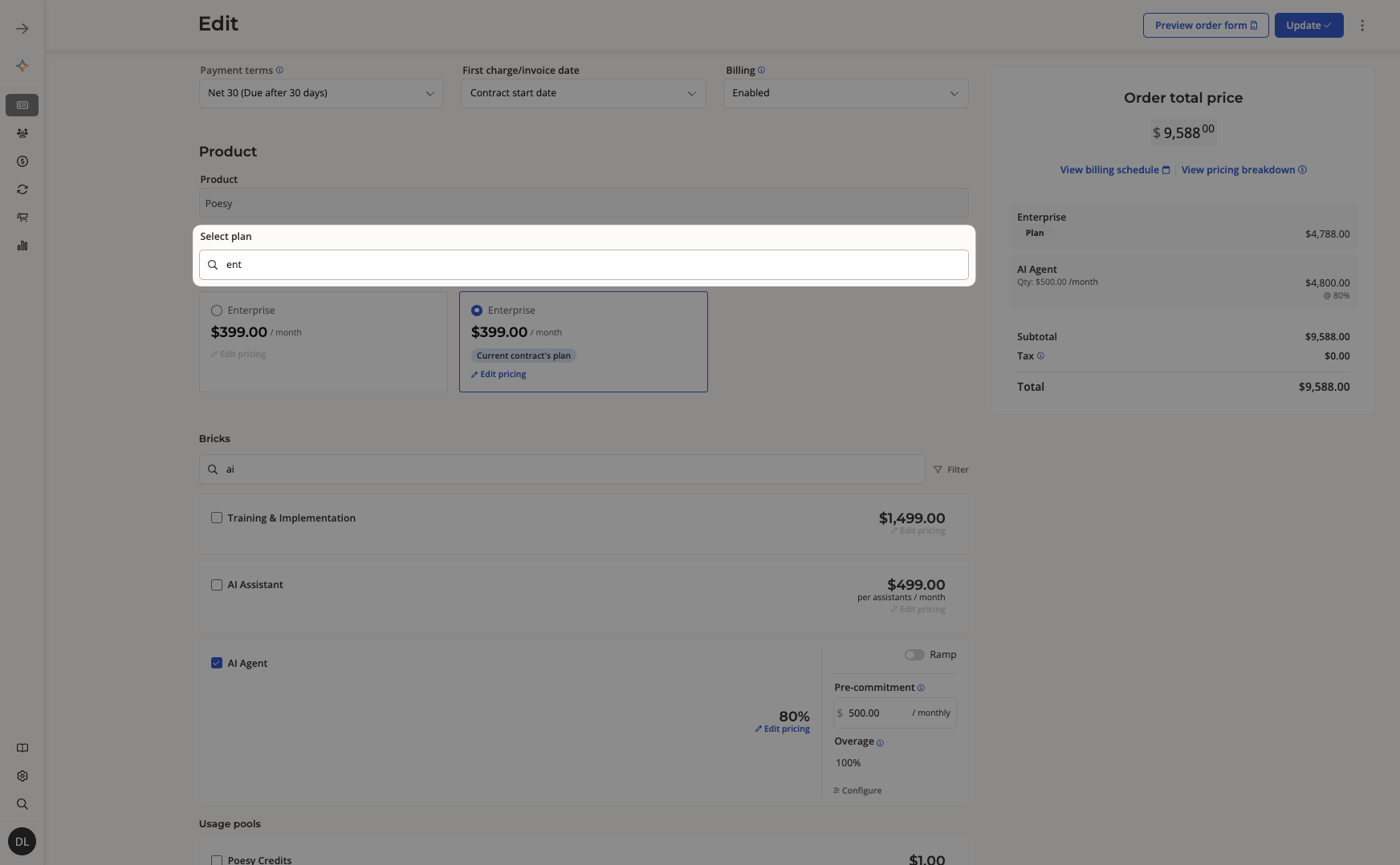
New webhook: subscription inactive
order.end and order.terminated never quite answered the question engineers actually care about: when is it safe to cut off service? The new subscription.inactive webhook fires only when service truly ends, with a reason of END_NO_RENEWAL or TERMINATED — and lands within seconds of a same-day termination.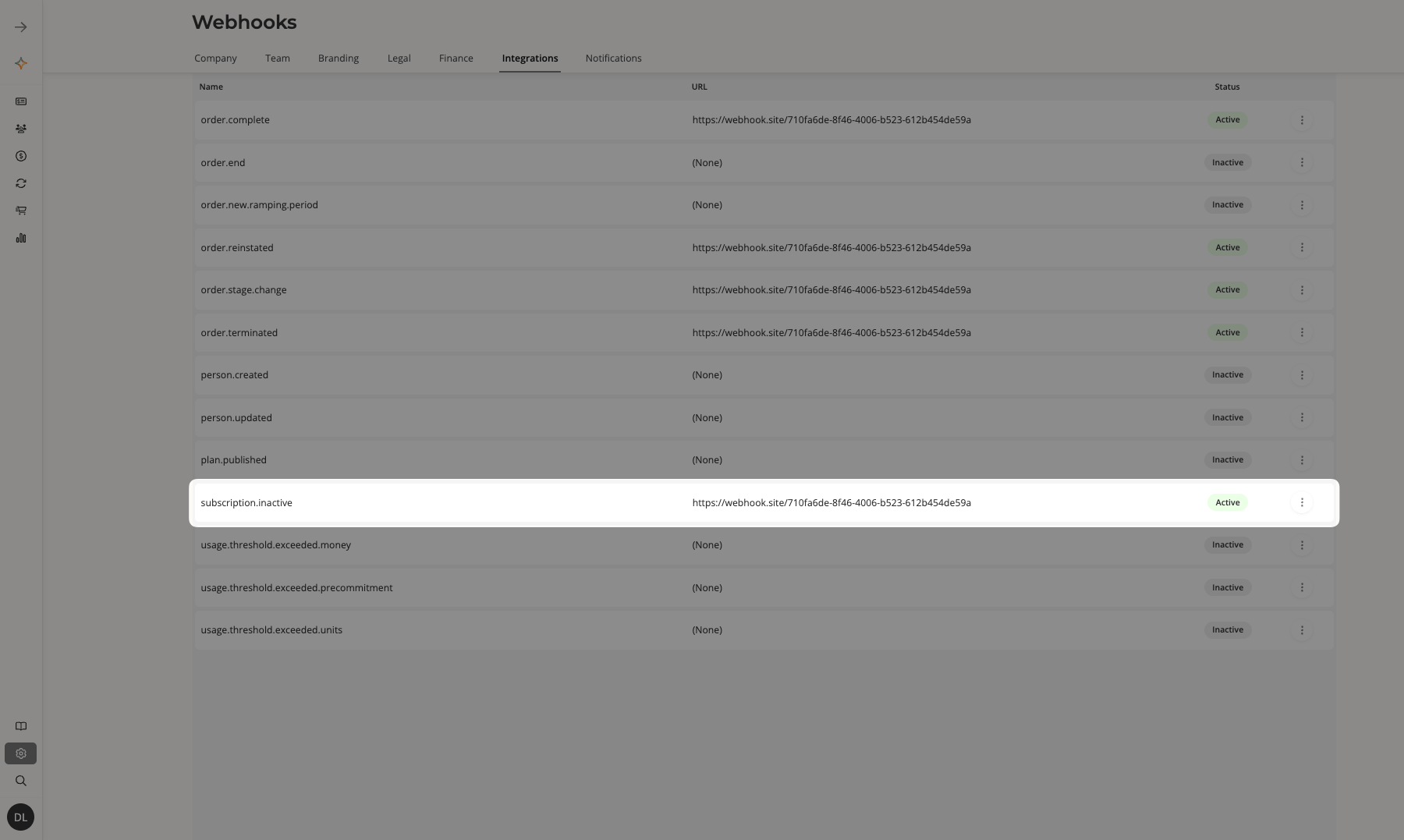
New UI for managing usage
Fixing a bad usage entry no longer means filing a ticket. Edit or delete entries directly in the UI, with bulk edit and bulk delete for the bigger cleanups.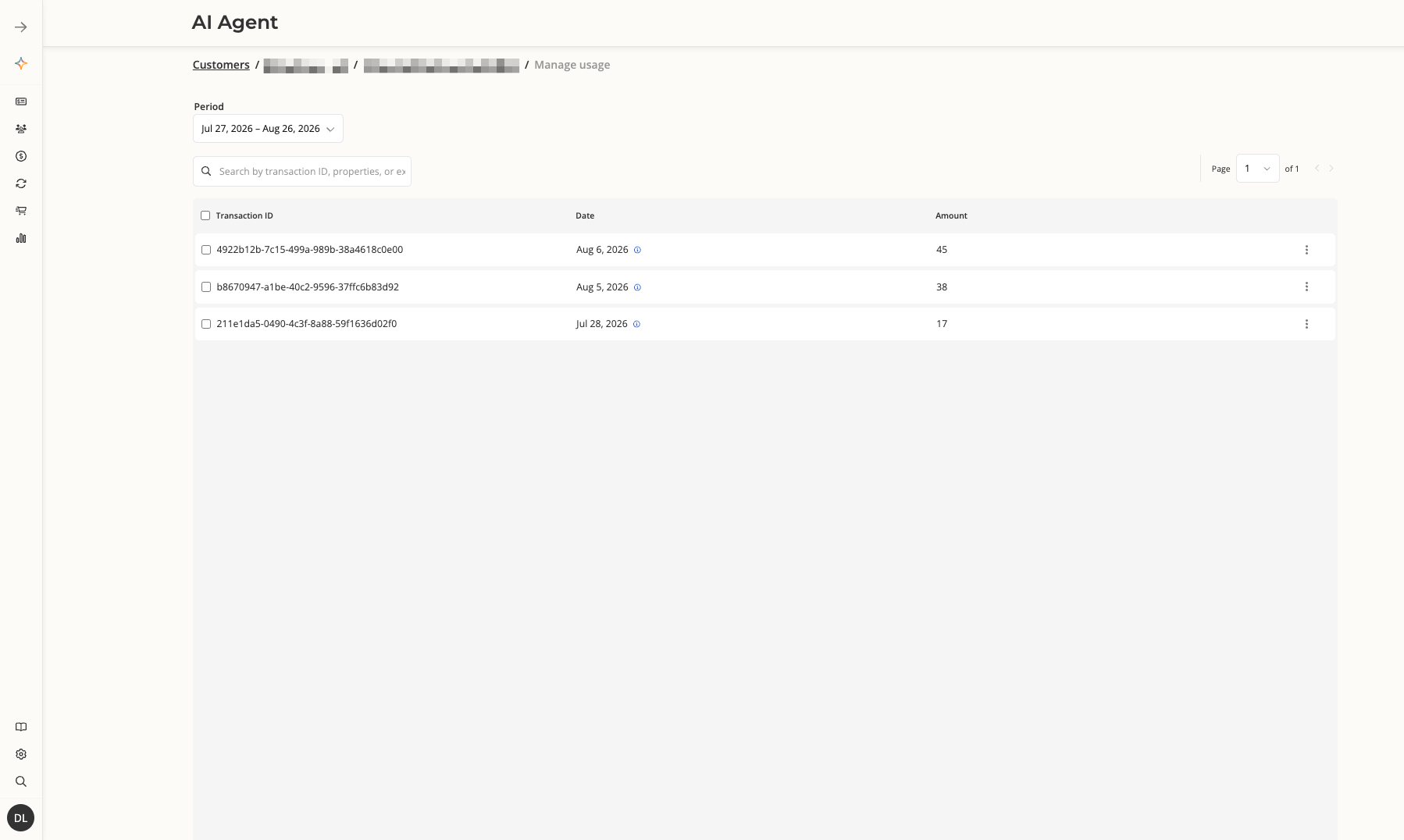
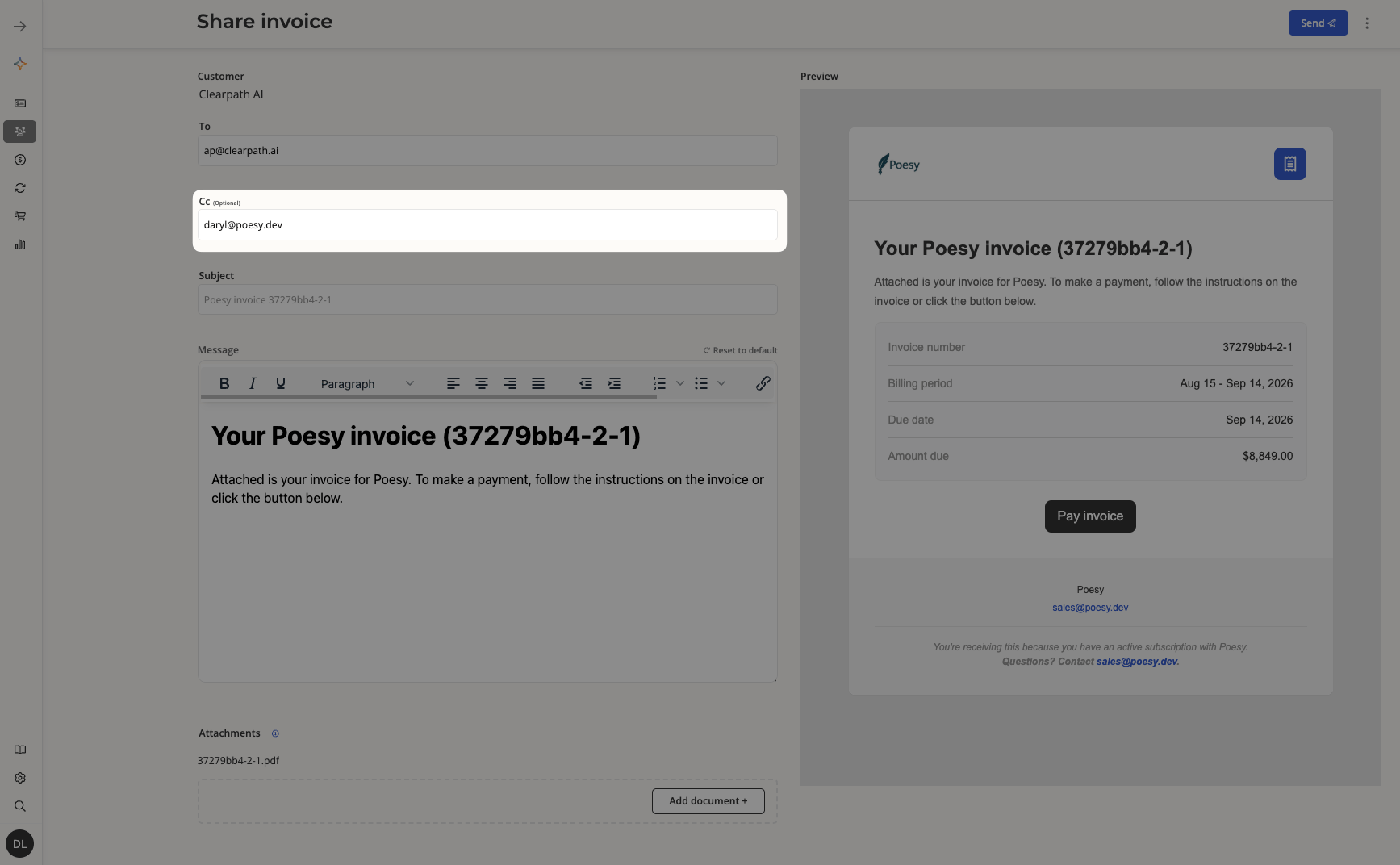
CC recipients on customer-facing emails
Add CC recipients to any customer-facing email, so buyer replies land with the right people on your side.